niltotoAndroid & iOS App
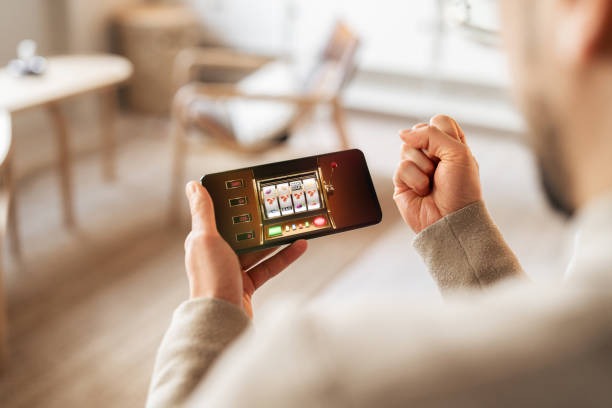
Access to niltoto works across multiple devices and operating systems. Whether you use Android, iOS, or a standard web browser, we provide consistent access to our slot tournaments, live-dealer tables, and sportsbook coverage. Mobile users in Jakarta, Surabaya, Bandung, and across Indonesia can reach niltoto through either a native application or a responsive web interface. The choice depends on your device type and preference for installation. Both paths lead to the same account, the same payment methods (DANA, e-wallet, mobile banking, local payment, online payment, e-wallet, and bank transfers), and the same game library.

- Update
- Installin
- and
- StartFirst Game
Our mobile-first approach recognizes that most niltoto users access the platform during commutes, between tournaments, or from home on a smartphone. We built the web interface to load quickly on slower connections and adapted all features—account verification, deposit flows, tournament entry, and live-casino navigation—for touchscreen input. The Android application can be installed directly from our download link; iOS users access niltoto through Safari or Chrome without requiring an app-store listing. Both methods offer fast access to daily and weekly slot tournaments featuring Aviator, Sweet Bonanza, Gates of Olympus, Fortune Tiger, and Mahjong Ways.
Before you proceed with installation or browser access, this guide outlines the three available paths, common setup questions, device requirements, and what to expect once you connect. We also address typical installation concerns and explain the role of permissions in protecting your account. Whether you choose to install on Android, use your iOS browser, or stick with web access on desktop, the underlying account management, security, and service remain unchanged.
Mobile Access Options
Download and install directly
Open in Safari or Chrome
Desktop or responsive browser
Getting Started on niltoto
- Download the fileFor Android, visit our download page and save the APK. For iOS or web, bookmark niltoto or add to your home screen.
- Install or allow accessAndroid users must enable "Unknown Sources" in settings; iOS and web users proceed directly to the next step.
- Create your accountProvide a username, email, password, and mobile number. Verify your email before proceeding.
- Complete identity verificationSubmit a photo ID and take a selfie so we can conduct KYC checks, then make your first deposit via DANA, e-wallet, mobile banking, or another supported method.

Native App versus Browser Access on niltoto
Our Android application offers offline caching of game assets, meaning you can view your tournament schedule and account history even without an active internet connection. The app also sends push notifications for tournament starts, deposit confirmations, and support replies. Installation takes one minute and does not require a Google Play account. The APK is digitally signed and safe to install when downloaded from our official domain. For iOS users, the web application behaves nearly identically to a native app once added to your home screen—Safari caches resources, notifications work through web standards, and the interface adjusts to your screen size. Desktop users on Windows or macOS access the same full-featured web platform. All three paths maintain the same account balance, tournament progress, and settings.
Device Requirements and Compatibility
The niltoto Android application runs on Android 7.0 and later. For iOS, we support Safari and Chrome on iOS 12 and later. Web access works on any browser—Chrome, Firefox, Edge, or Safari—on desktop, tablet, or mobile. Devices with at least 100 MB of free storage accommodate the Android app. Older devices may experience slower load times during peak tournament hours but remain fully functional.
Solving Common Installation Issues
Android users often see a "Unknown Sources" warning when opening the APK file. This is normal; go to Settings > Apps > Special App Access > Install Unknown Apps, select your file manager or browser, and enable the permission. Once granted, the installation completes without further warnings. If you receive a certificate-trust message, this indicates your device is validating the digital signature—our APK is signed by niltoto and is safe to proceed. Do not delete the APK file until installation is complete; some devices require it for verification. iOS users may see a prompt to allow local notifications; selecting "Allow" lets niltoto notify you of tournament results and support messages. If you lose access to your email account, contact our support team, and we will help you recover your account through identity verification.
Data, Permissions, and Account Security on niltoto
The niltoto application requests permission to access your camera (for identity verification), location (to confirm jurisdiction eligibility), and notifications (for tournament and deposit alerts). We do not share these permissions with third parties. Your camera feed is transmitted over an encrypted connection to our identity-verification partner and is deleted after processing. Location data is checked server-side and not stored locally. All passwords are hashed using industry-standard algorithms; niltoto staff cannot see your password. Your account is protected by a two-step recovery process: if you lose your password, we verify your identity through email and a security question. Bank-level encryption (SSL/TLS) secures all communication between your device and our servers. If you suspect unauthorized access, change your password immediately and contact us; we log all login attempts and can isolate suspicious activity.
At niltoto, we prioritize transparency over promotion. Whether you install our Android application, use iOS Safari, or access via a web browser, the experience reflects the same underlying platform. Our mobile infrastructure is built to handle high-volume tournament play across Medan, Semarang, and every supported region during holiday periods such as Idul Fitri and Imlek. Live-dealer tables, League 1 coverage, and esports markets (Mobile Legends, Free Fire, PUBG Mobile) remain accessible across all three access methods. Installation takes minutes; account setup with identity verification takes longer but protects both your funds and our regulatory standing. If you encounter any step beyond this guide, our support team is available via email and in-app messaging to walk you through the process.
user First and, Main Info.
niltoto-in We in — Info before, Promotion after —.